DEX Open-source monitoring & observability for CodeIgniter 4

Open-source monitoring
for CodeIgniter 4

Follow every request. Find what broke.

DEX helps you trace requests, spot failures, and understand performance in your CodeIgniter 4 applications. Inspect slow queries, errors, spans, and breadcrumbs — all from a clean, self-hosted dashboard built for developers.

Open Source Composer Install GitHub Packagist CI4 Native
Overview May 12 — May 18
Requests
12,842 +18.2%
Errors
156 +6.4%
Slow Queries
231 +9.1%
Avg Response
152ms -12.5%
Request Timeline
Top Errors
Exception 64
Error 46
TypeError 24
Other 22
Recent Requests
GET /dashboard 200 124 ms
POST /api/users 201 236 ms
GET /products/42 500 812 ms
Open source
MIT licensed
Composer package
Install with one command
Self-hosted
You own your data
CI4 native
Built for CodeIgniter 4
Easy install
Up and running in minutes
Features

Everything you need to debug
your CI4 app in production.

DEX captures the full picture of your application's runtime — from incoming requests through database queries, exception traces, and rendered responses.

Request tracing

Follow each request from start to finish with detailed performance metrics, timing breakdowns, and contextual metadata.

Exception monitoring

Capture and inspect exceptions with rich context — stack traces, request payload, and exact code location.

Slow query insights

Identify N+1 issues and slow queries with execution time and query bindings, so you can optimize where it matters.

Spans & breadcrumbs

Visualize spans and breadcrumbs to understand exactly what happened — and when — across your request lifecycle.

Self-hosted by default

Keep your data private. Deploy DEX on your own infrastructure — no third-party servers, no data leaves your network.

Fast CI4 setup

A CI4-native service provider with sensible defaults and easy configuration — no boilerplate, no friction.

Quick Start

Three commands to start tracing.

1 Install via Composer
$ composer require dex/dex
2 Publish & configure
$ php spark dex:install
3 Open the dashboard
http://your-app.test/dex
View full documentation
How it works

From install to insight in three steps.

DEX hooks into CodeIgniter's request lifecycle automatically — no manual instrumentation required.

1

Install

Install DEX and configure with sensible defaults in just a few minutes.

2

Capture

DEX automatically captures requests, queries, errors, spans, and breadcrumbs.

3

Debug

Open the dashboard to explore, filter, and debug what matters most.

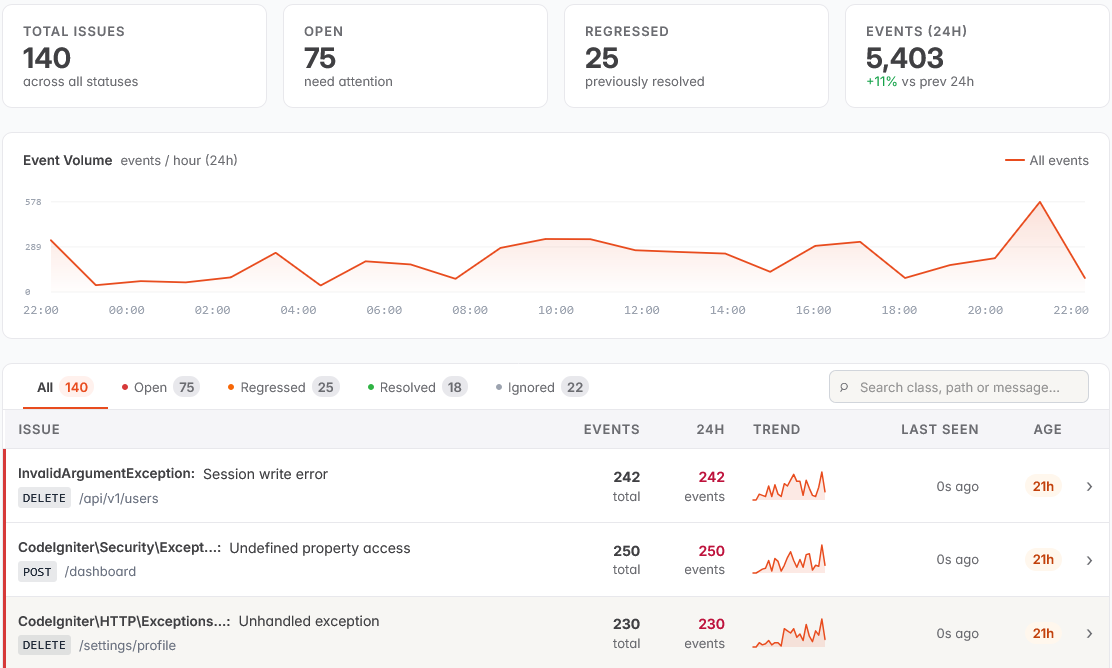
A peek inside

A dashboard built for developers,
not for ops dashboards.

Quick to scan. Easy to filter. Designed for the moments when something just broke and you need to know why, fast.

your-app.test/dex/requests
Requests
Method URL Status Duration Time
GET / 200 98 ms May 18, 10:24:31
POST /api/login 200 215 ms May 18, 10:24:12
GET /products 200 112 ms May 18, 10:23:58
GET /reports/summary 500 832 ms May 18, 10:23:34
POST /api/orders 201 188 ms May 18, 10:23:21
GET /reports/summary 500
May 18, 10:23:34 · 832 ms
Exception
RuntimeException

Something went wrong while processing the report.

app/Controllers/Report.php:87